

$19.99


Best GPS Dog Fence in 2026
By: Jeff Smith
October 30, 2026
22 MINS READ
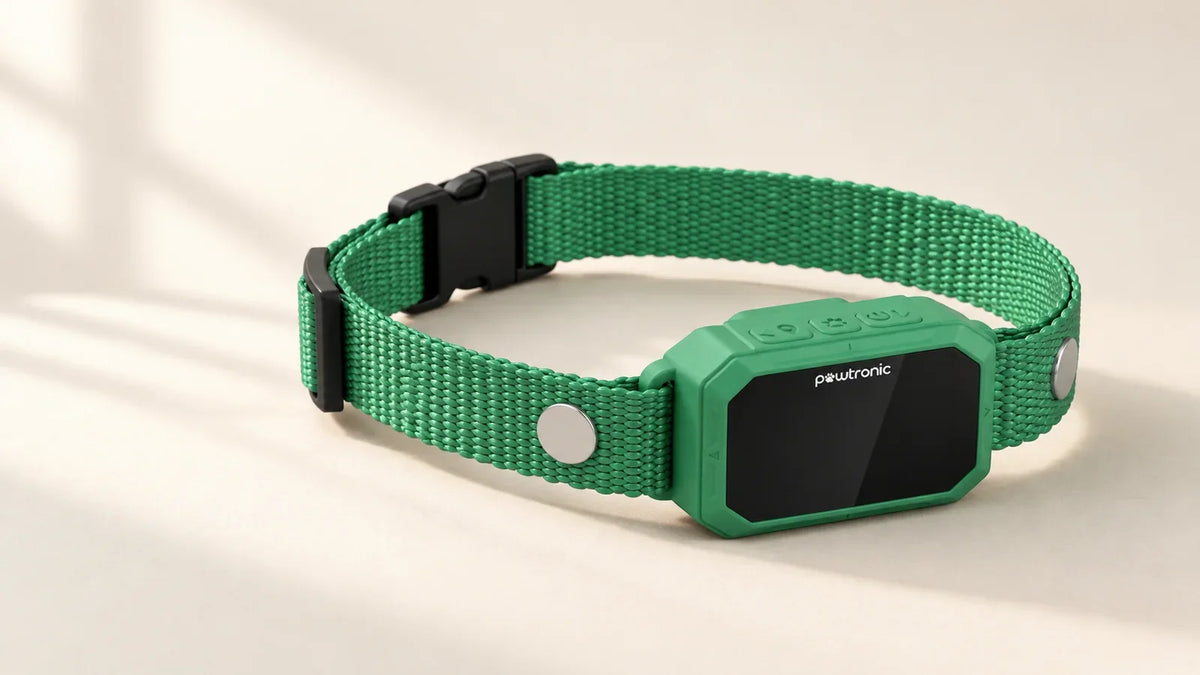
My pick for the best GPS dog fence is PawTronic Pro Series 2. At $578.99, it gives you a circular or eight-sided boundary, a free setup app, and saved fencing that works without keeping your phone connected.
My first question is what you need the collar to do when your dog leaves the yard. PawTronic provides outdoor boundary fencing, not live lost-dog tracking. I separate those functions throughout this comparison because tracking adds its own connection requirements and, for some models, recurring fees.
Your property deserves the same attention as the collar. A huge coverage number means little if the boundary cannot fit between your house, driveway, and road. And if your dog chases a squirrel beyond that line, a virtual fence cannot physically stop them. I prioritize dog fit, usable space, and daily care over feature count.
GPS Dog Fence Size and Property Requirements
Model |
Published dog fit |
Property requirements |
|---|---|---|
| PawTronic Pro Series 2 | Older than 6 months, 7.9 lb+, 8–25-inch neck |
Circle radius 82–7,000 ft, or eight-sided polygon covering 0.5–200 acres |
| SpotOn Nova | 15 lb+, 10–26-inch neck |
Generally ⅓ acre+, with 80 ft minimum width recommended |
| Halo Collar 5 | Older than 5 months, 10 lb+, 8–30.5-inch neck |
Advertised 30 × 30 ft minimum drawing, plus applicable setbacks |
| PetSafe Guardian GPS 2.0 | 10 lb+, neck at least 8 inches |
Fence area of ½ acre+, without dense tree coverage |
| Dogtra GPS Fence | 15 lb+, neck at least 10 inches |
Manual minimum ¾ acre, with usable layout checked |
Dogtra GPS Fence FieldGuard |
25 lb+, neck at least 11 inches |
Property of ¾ acre+, with usable layout checked |
I treat these as screening requirements. A dog can clear the weight threshold and still have an unsuitable neck shape, poor collar fit, or behavioral concerns. Age and readiness matter too. PetSafe’s manual describes dogs that recognize basic commands, generally around six months or older.
If your available space cannot accommodate the required clearances, or dependable GPS reception is missing where the boundary must go, I’d change the containment plan. For a dog with aggression or significant fear, get qualified behavior guidance before choosing a correction system. PawTronic’s own published guidance excludes aggressive dogs.
1. PawTronic Pro Series 2: Best GPS Dog Fence

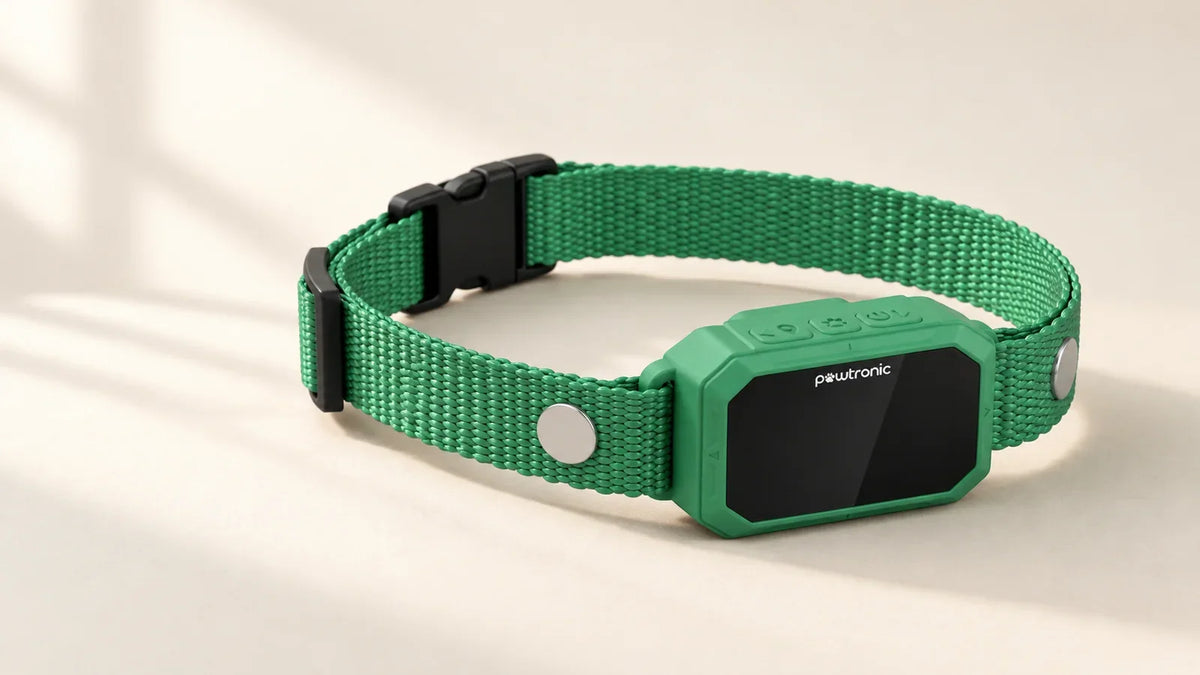
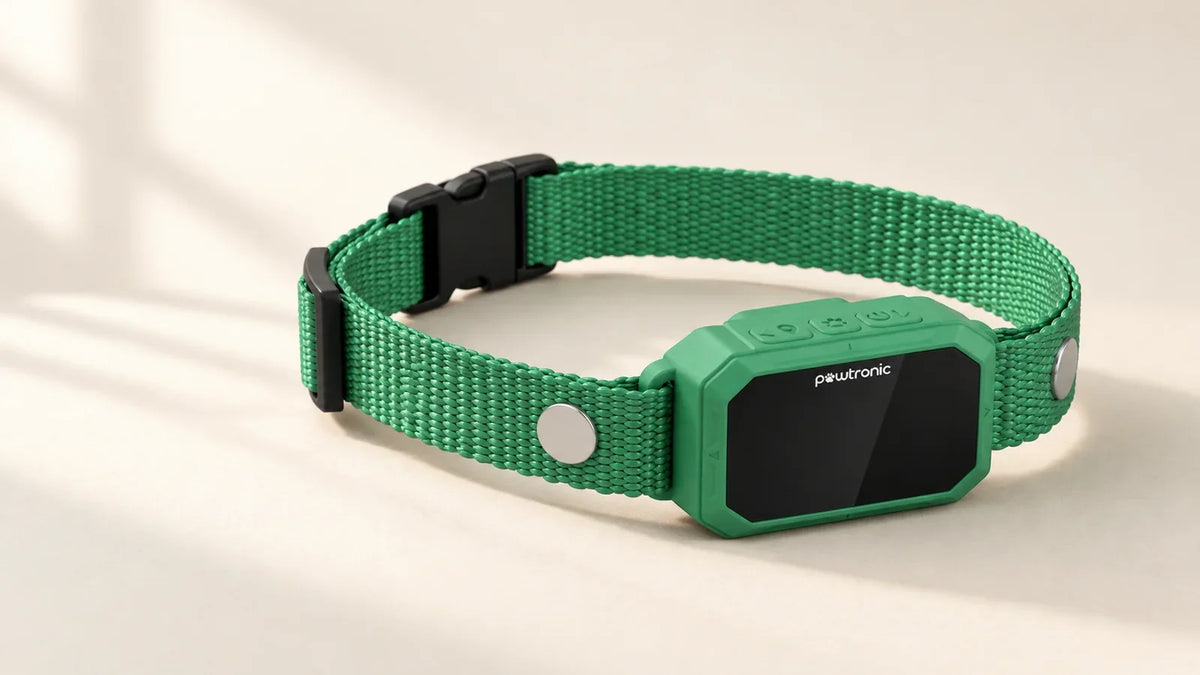
PawTronic Pro Series 2 is an outdoor GPS dog fence with circular and eight-sided boundaries and no monthly fence subscription. PawTronic’s free app lets you configure and save the fence to the collar, so it works without a continuous phone connection after setup. The single-collar package costs $578.99.
Why PawTronic Is the Best GPS Dog Fence
- No monthly fence subscription: The core fence and free app have no recurring fees
- Free app for boundary setup: Configure and save the fence to the collar
- Circular and custom eight-sided boundaries: Choose the layout that fits your usable space
- Up to six saved fence layouts: Store boundaries for suitable locations
- Sound and vibration without static correction: Static is a fourth option, not required
Choose a circle for an open space or use its eight-sided polygon to shape the outer perimeter around your usable land. With no buried perimeter wire to install, you can adjust the boundary in the app as your usable outdoor space changes. The circular radius adjusts from 82 to 7,000 feet, while polygon coverage ranges from 0.5 to 200 acres. Save up to six layouts for suitable locations. I look for documented support for narrow passages, corners, and any required internal exclusions.
The collar fits dogs over six months old, weighing at least 7.9 pounds, with 8–25-inch necks. You can select sound, vibration, both together, or both with static correction. Static is optional. Introduce the selected cue through supervised training and watch your dog's response. The setting should support your training plan, and your dog still needs to learn the boundary.
PawTronic provides GPS boundary fencing and does not include live lost-dog tracking. Test the planned perimeter outdoors before training. Weak GPS reception can prevent boundary cues. Saving the layout keeps it on the collar, but you still need adequate satellite reception during use.
The battery is rated for up to 36 hours of GPS standby. Active runtime varies with use. Follow PawTronic’s daily care guidance. Limit wear to 12 hours daily, reposition every one to two hours, and check the contact area daily. Attach the leash to a separate collar or harness. Plan charging while the receiver is off your dog.
The receiver's IP67 rating means it can withstand laboratory immersion up to one meter for 30 minutes. Follow its care instructions, and keep the optional remote dry because it is not waterproof.
PawTronic offers one-, two-, and three-collar packages. Each dog needs a suitable collar and individual training. Choose the package and colors to see the current total.
PawTronic’s return policy allows requests within 30 days of receipt and applies a $25 fee per returned collar. Approval, unused condition, and original packaging are required.
2. SpotOn Nova

SpotOn Nova is a GPS fence with unlimited saved layouts, Keep Out Zones, and Home Zones. Cellular tracking requires an optional subscription. If you need overlapping layouts, an excluded area inside the yard, or several saved fences, those tools can make the map better match how you want your dog to use the space.
The collar costs $999. That is a substantial step up from PawTronic, and I’d want the extra layout control to solve a real problem before paying for it. For a straightforward open area, a larger feature allowance may sit unused. Your dog also needs to weigh at least 15 pounds and have a 10–26-inch neck.
I find SpotOn’s property guidance more useful than its largest coverage claim. It generally recommends at least one-third acre, an 80-foot width at the narrowest section, and a 15-foot buffer from roads or hazards. If your lot is long and thin, the acreage can look adequate while the layout misses SpotOn’s recommended width. SpotOn offers a property evaluation; owners still need to check the proposed boundary against its setup requirements.
You can add cellular tracking for $9.95 monthly or $101.88 annually. The optional subscription covers connected tracking separately from the core fence. Each dog needs its own collar and, if you want it, an optional tracking subscription. The saved fence does not need cellular reception, but remote tracking and alerts require an appropriate communication connection. That distinction matters when the collar works in the yard while your phone stops receiving updates.
SpotOn publishes up to 35 hours of containment with longer runtime advertised in Extended Battery Life Mode, and recommends daily charging. I’d still plan when the collar comes off and what contains your dog during that time. The price buys documented tools and optional connected service. It does not prove this collar will perform best on your particular property.
Features
- Unlimited fences without mandatory subscriptions
- Internal Keep Out Zones included
- Optional cellular location tracking
- Free property evaluation available
- Saved fencing works without cellular service
Requirements and Limitations
- Highest hardware price in this shortlist
- Remote tracking adds recurring costs
- Narrow yards may miss recommended width
3. Halo Collar 5

Halo Collar 5 combines fencing, location service, and training guidance in one app. Its app includes four-phase lessons and per-dog settings. Owners still need to carry out the training.
Halo Collar 5 costs $599 before the required membership. Add a Pack membership to your budget. Halo requires an active plan to create, edit, and use fences, so I wouldn’t judge affordability based on the hardware price alone.
The membership tiers also determine how many fences you can save. Bronze costs $9.99 monthly for five, Silver costs $14.99 for 20, and Gold costs $19.99 for unlimited. Annual billing gives 12 months for the price of 11. If you mainly need home and one other property, I’d start by asking what you need beyond Bronze. A larger fence allowance alone would not persuade me to upgrade. Each additional collar adds $3.99 a month on Bronze or $4.99 on Silver and Gold, so include every dog in the budget.
Halo advertises a minimum boundary drawing of about 30 × 30 feet. I’d be careful with that number if you’re shopping for a small suburban yard. The current setup instructions include building and road setbacks, with newer instructions specifying 20 feet from buildings and 15 feet from public roads. Follow the version for your app. The space left after those clearances is what matters to your dog.
Halo Collar 5 fits dogs older than five months, weighing at least 10 pounds, with an 8–30.5-inch neck. Saved fences can operate without your phone nearby or continuous WiFi or cellular service. Remote information still needs a working connection, and offline operation does not remove the plan requirement. Include the required membership in the ownership cost, alongside the training and daily care.
Features
- Fencing and cellular tracking together
- Four-phase training lessons in the app
- Separate settings for each dog
- Saved fences work without WiFi or cellular
- Annual billing reduces the service cost
Requirements and Limitations
- Active membership required for fence use
- Fence allowances depend on plan tier
- Small drawings still require adequate setbacks
4. PetSafe Guardian GPS 2.0

PetSafe Guardian GPS 2.0 Dog Fence + Tracking combines boundary fencing and cellular tracking and requires a subscription. At $449.99, its hardware costs less than Halo or SpotOn Nova. Its required service costs $9.99 monthly or $99 annually. The monthly plan advertises a one-month trial. I’d compare the three-year totals before deciding how much that lower entry price saves you.
Make sure you’re comparing this exact 2.0 model. PetSafe sells other Guardian products with different capabilities and fee arrangements. This version supports dogs from 10 pounds with a neck of at least eight inches and stores up to 50 fences. If you regularly visit several suitable properties, saved layouts may be useful. For one yard, that storage allowance would give me little reason to choose this model.
The property check would decide this one for me. PetSafe recommends at least half an acre without dense tree coverage, and its boundary instructions require that much fence area, alongside spacing around buildings and hazards. Building clearance grows with each story. If your house and driveway occupy much of the parcel, half an acre on the listing may leave too little usable space.
You also need 2.4 GHz WiFi for setup and updates. A configured PetSafe collar can maintain its stored fence if cellular service drops, while live location and phone notifications require a connection. Elsewhere on the page, PetSafe still describes cellular service as needed for proper operation. I’d confirm coverage and your intended setup with PetSafe before choosing it for an entirely off-grid location. Temporary loss of tracking and fully disconnected ownership are different situations.
The current charging guidance advertises up to 70 hours, depending on use. The fitting instructions limit wear to 12 hours daily, and the manual requires removal indoors. I see the battery allowance as charging flexibility. It does not mean leaving the collar on for several days.
Features
- Lower hardware cost than Halo or SpotOn
- Cellular tracking alongside custom boundaries
- Saves up to 50 fences
- Annual subscription option reduces recurring costs
- Fits qualifying dogs from ten pounds
Requirements and Limitations
- Subscription required for each collar
- Setup and updates need 2.4GHz WiFi
- Poor fit for dense tree coverage
5. Dogtra GPS Fence

Dogtra GPS Fence is an outdoor boundary system that operates without a monthly fence subscription. This model provides boundary fencing without remote live tracking.
Dogtra GPS Fence requires a dog weighing at least 15 pounds with a neck of at least 10 inches. It requires more than three-quarters of an acre of usable outdoor space. If you’re close to that threshold, confirm the actual usable layout with Dogtra. A lower price cannot compensate for a collar or boundary that does not fit.
The manual describes circles or custom shapes with up to 25 points, inner exclusions, support for three collars, and up to 30 primary fences, including inner fences. The complete layout, including internal exclusions, must still meet the model’s space requirements. Every dog still needs a separate collar and individual training.
Pay particular attention to the full boundary arrangement. Dogtra uses a warning area, a main perimeter and two outer backup boundaries. I’d draw all of those on your property sketch. If the main line runs beside a road or your neighbor’s land, you may not have left enough room for the outer zones. More boundary layers do not make an unsuitable edge appropriate.
After syncing, the collar can maintain the saved fence independently of the app. Phone alerts and updates are limited to approximately 33 feet of Bluetooth range. That could be useful when you’re nearby, but it will not give you an escape alert at work or a remotely updated location map. If that's why you’re buying a smart collar, I’d choose another option.
The manual also limits wear to six–eight hours at a time, advises repositioning, and requires removal indoors, where GPS errors can trigger unintended corrections. Check the layout requirements and removal routine alongside the hardware price.
Features
- No monthly fence fee
- Custom boundaries with up to 25 points
- Internal exclusion areas supported
- Supports up to three collars
Requirements and Limitations
- No remote live location tracking
- Phone alerts limited to Bluetooth range
- Larger usable property required
6. Dogtra GPS Fence FieldGuard

FieldGuard provides local radio tracking through a Remote Controller. The $429.99 system includes the controller and one receiver collar. That handheld is essential to the tracking connection, so I’d include carrying and charging it in the purchase decision.
The FieldGuard manual explains the arrangement: the controller talks to the collar by radio, and your phone connects to the controller by Bluetooth within approximately 33 feet. Dogtra advertises a radio range of up to three miles outdoors under line-of-sight conditions. Trees, terrain, and other obstructions can reduce it. I’d check the connection along your actual walking routes before relying on the maximum figure.
Location updates depend on the controller’s radio connection to the collar and its Bluetooth connection to your phone. If you want to check your dog from an office many miles away, it does not offer that kind of internet-based tracking. I’d compare a cellular option for that use, with coverage checked at both ends.
FieldGuard requires at least three-quarters of an acre and a dog of at least 25 pounds with an 11-inch minimum neck. It supports up to ten dogs with additional receivers. The single-system price covers one receiver. Additional dogs require additional compatible receivers. Each dog adds hardware and training work.
The saved fence continues without the app or controller staying connected. Tracking and notifications have their own connection requirements, including keeping the app running in the background for app alerts. The specific fitting guidance says to remove the collar after six hours, reposition it periodically, and remove it indoors. I’d build that routine into any plan for prolonged outdoor time. Compare the controller’s connection requirements, additional charging, and collar-fit limits alongside the hardware cost.
Features
- Local tracking without a cellular plan
- Remote Controller included with the system
- Supports up to ten dogs
- Saved fence operates without controller connection
- Custom shapes and internal exclusions supported
Requirements and Limitations
- Tracking depends on usable radio range
- Included controller needs carrying and charging
- Minimum dog weight is 25 pounds
The Best GPS Dog Fences at a Glance
This table separates the systems by fencing, tracking, and subscription requirements. Each pick solves a different buying problem.
My pick |
Best reason to consider it |
Required fence subscription |
Location tracking |
|---|---|---|---|
1. PawTronic Pro Series 2 |
Custom boundaries without recurring fees |
None |
No live tracking |
2. SpotOn Nova |
Saved fences, internal zones and optional tracking |
None |
Optional cellular service |
3. Halo Collar 5 |
Connected fencing with app training lessons |
Paid Pack plan |
Cellular tracking with plan |
4. PetSafe Guardian GPS 2.0 |
GPS fencing and cellular tracking with a required plan |
Paid plan per collar |
Cellular tracking |
5. Dogtra GPS Fence |
Boundary fencing without remote live tracking |
None |
No remote live tracking |
6. Dogtra GPS Fence FieldGuard |
Local tracking without a cellular plan |
None |
Radio tracking within range |
PawTronic earns the first position for a specific combination: a lower purchase price than SpotOn, eligibility for lighter dogs than either Dogtra model, and polygon coverage starting at half an acre rather than Dogtra’s three-quarter-acre requirement. That combination is why PawTronic leads my shortlist for subscription-free outdoor fencing.
What a GPS Dog Fence Actually Does
A GPS fence estimates your collar's position from satellite signals and compares it with a saved boundary. The collar then delivers its configured cues at the relevant warning or boundary zone. Your dog has to learn what those cues mean. The device cannot physically prevent an escape or stop another animal or person from entering.
I separate that job from tracking. A tracker reports a location so you can try to find your dog. A phone alert alone does not teach or enforce a boundary. Some collars offer both functions, with different connection requirements.
On a tracker, a feature called a virtual fence may mean a notification on your phone. Check whether the device also delivers automatic boundary cues to your dog before comparing it with a fence collar.
GPS Fences Compared with Other Options
Option |
How it works |
When I'd consider it |
|---|---|---|
GPS fence |
Satellite positioning and a saved boundary |
Suitable outdoor space where configurable boundaries avoid buried wire |
Radio wireless fence |
A powered transmitter creates a roughly circular area |
An open layout where a circle fits |
Buried-wire fence |
An installed wire defines the electronic boundary |
A fixed custom route worth the installation and maintenance |
Physical fence |
A material barrier encloses the space |
Separation from roads, other animals, or neighboring areas |
GPS tracker |
Reports location, sometimes with phone alerts |
Finding your dog alongside an appropriate containment arrangement |
Radio and buried-wire systems also depend on training and collar responses. Neither provides a physical barrier. For their setup differences, see PawTronic's wireless dog fence guide.
How to Choose a GPS Fence for Your Property
Measure the Usable Space Before Comparing Acreage
Your house, garage, driveway, and nearby road all affect where a boundary can go. A narrow section can rule out a layout even when the total acreage looks generous.
Take PawTronic's 82-foot minimum circular radius. That creates a circle 164 feet across, covering approximately 0.485 acres. A square half-acre lot is only about 148 feet wide. The circle would extend beyond it, even before you allow for buildings or setbacks.
Those are geometry calculations, not a minimum-lot recommendation. PawTronic's polygon mode has its own 0.5–200-acre range. Check the dimensions of your chosen shape.
Allow for each manufacturer's instructions. SpotOn recommends at least 80 feet across the narrowest section and a 15-foot buffer from roads or hazards. PetSafe's 2.0 guidance requires 25 feet from a building per story, 35 feet between opposing boundaries, and 15 feet from roads. Its half-acre minimum applies to the fenced area.
That makes a two-story house a 50-foot building-setback case under PetSafe's instructions. Mark that distance on your sketch before deciding how much outdoor space you can fence.
Halo’s boundary setbacks are 20 feet from buildings and 15 feet from public roads. Follow the instructions for your app version. A boundary the software accepts can still leave too little usable space.
Check the Exact Boundary Shape You Need
An outer perimeter, an internal keep-out area, and several saved properties solve different problems. I wouldn't assume “custom fences” includes all three.
Saved layouts help when you use more than one suitable property. They don't establish that an individual layout can follow every corner or exclude a hazard inside it.
Sketch your usable space and mark exclusions. If you need an internal zone around a pool or driveway, confirm the collar supports it and that the remaining layout still fits. Use an appropriate physical barrier around a serious hazard.
Dogtra's GPS Fence also has two outer backup boundaries. Those need room beyond the main perimeter, so check the complete arrangement before placing the main line near your property edge.
Treat Trees and Buildings As a Property Question
A general accuracy claim cannot tell you what will happen beside your shed.
Test the planned perimeter as instructed, including obstructed sections. Recheck after changes to the layout or conditions. If an essential section behaves inconsistently, change the boundary or choose another containment arrangement. Increasing correction does not repair uncertain positioning.
Read Accuracy Claims Carefully
Position error, cue activation and successful containment measure different things. A hand-carried collar test can show where a warning activates. It cannot establish how your dog will respond while chasing something.
I look for the exact model, trial count, tree cover, method, spread of results and failures before accepting an accuracy winner. An average can hide occasional large errors, especially if signed measurements cancel out. Without comparable testing, I wouldn't rank these collars by inches of claimed accuracy.
What the Fence Will Cost Over Three Years
Decide whether you need fencing alone or location tracking before comparing totals. Paying less for a different service doesn't settle which one you need.
These examples cover one dog and assume unchanged hardware and service prices over three years. Monthly-plan estimates include 36 payments. Tax, shipping, trials, replacement hardware, optional protection and accessories are excluded.
Product and service choice |
Hardware price |
Monthly service used here |
Three-year estimate |
|---|---|---|---|
PawTronic Pro Series 2, fencing |
$578.99 |
$0 |
$578.99 |
SpotOn Nova, fencing |
$999.00 |
$0 |
$999.00 |
SpotOn Nova, with optional tracking |
$999.00 |
$9.95 |
$1,357.20 |
Halo Collar 5, Bronze plan |
$599 |
$9.99 |
$958.64 |
PetSafe Guardian GPS 2.0, monthly plan |
$449.99 |
$9.99 |
$809.63 |
Dogtra GPS Fence, fencing |
$199.99 |
$0 |
$199.99 |
Dogtra FieldGuard, local radio tracking |
$429.99 |
$0 |
$429.99 |
For Halo, the calculation is $599 + (36 × $9.99) = $958.64. PetSafe's $99 annual plan produces $449.99 + (3 × $99) = $746.99, paid annually.
These are hardware-plus-service estimates. A $0 subscription does not remove charging, accessory or replacement costs.
Budget Separately for Every Dog
Each dog needs a compatible collar. Check additional-collar service charges instead of assuming one subscription covers the household.
A Bronze plan with one additional collar would cost ($9.99 + $3.99) × 36 = $503.28 in service over three years, before hardware. That example assumes both retain the same rate throughout. Annual billing and multi-dog offers can change it.
PawTronic offers two- and three-collar packages without recurring fence fees. Dogtra GPS Fence supports three collars, while FieldGuard supports ten. Compare the full package total, each dog's fit and the work involved. Every dog needs individual training.
I also look at how the app manages each dog’s fences and settings. Buying enough collars is only part of the decision if you need different boundaries for different dogs.
Will a GPS Dog Fence Work Without WiFi or Cell Service?
Yes, some GPS dog fences can enforce a saved boundary without continuous WiFi or cellular service. Setup, updates, tracking and phone alerts have separate connection requirements. A paid membership may still be required even when the saved fence operates offline. Check each function separately for the exact model.
GPS estimates position. Bluetooth connects nearby devices. Cellular service carries information over a mobile network, allowing compatible collars to report a location while you're elsewhere.
PawTronic's saved boundary works without a continuous phone connection. SpotOn's fencing also operates without its optional cellular tracking plan. Halo can enforce a saved boundary offline, although its paid membership remains required. A cellular outage and a canceled plan are different situations.
Nova's optional WiFi connection handles firmware updates while charging. Bluetooth updates remain available. That gives you another update route without making home WiFi a requirement for the fence itself.
A configured PetSafe Guardian GPS 2.0 collar can continue its stored fence without cellular reception. Live location and notifications need a connection. You still need its subscription and 2.4 GHz WiFi for setup and updates. That distinction matters if you're considering a permanently disconnected property.
FieldGuard uses a Remote Controller to communicate with the collar over radio and with your nearby phone over Bluetooth. Tracking is limited by usable radio range. Leaving the controller at home won't give you location updates from any distance.
The FieldGuard manual separates that tracking connection from the fence saved in the receiver. The stored boundary can continue without the controller connection, while app notifications have additional requirements, including the app running in the background.
If you need an escape alert at work, verify that exact function, plan and communication coverage. A saved fence working locally does not mean the notification can reach you.
Offline operation also leaves the satellite-positioning requirement in place. Check GPS reception along the boundary even when the system needs no cellular service for fencing.
Setup and Training Need Separate Time
Set up a GPS fence by checking the equipment, saving and testing the boundary, then teaching your dog how to respond. Complete the equipment checks before involving your dog.
Follow these three steps:
1. Check and Charge the Equipment
Read the exact model's fitting and setup instructions. Confirm eligibility, inspect the collar, charge it and install any required updates. Plan enough usable space after the manufacturer's setbacks.
2. Test the Boundary Before Training
Save the layout, then walk and test it with the collar as instructed before involving your dog. PawTronic's setup guidance makes this check part of the process. A line on your screen isn't a completed equipment check.
3. Teach the Response in Short Sessions
Use supervised practice and reward the response you want. Attach the leash to a separate collar or harness, as PawTronic's published guidance advises. Progress depends on your dog, so I wouldn't promise a fixed training deadline.
The American Veterinary Society of Animal Behavior recommends reward-based training and opposes aversive methods, including electronic collars. Selecting sound or vibration alone does not establish that a device is suitable or stress-free.
If your dog becomes fearful, avoids the area or reacts badly, stop and seek guidance from a veterinarian or a qualified professional who uses reward-based methods. Don't automatically increase correction. A physical fence or supervised long line may suit your dog better.
Build a Daily Collar Routine
Check charge, fit, skin and the selected boundary before use. Follow the model's removal and repositioning instructions, including any indoor restrictions. Charge while the collar is off your dog.
PawTronic's guidance limits wear to 12 hours daily. Dogtra’s base collar has a maximum wear time of six to eight hours at a time. FieldGuard's fitting guidance recommends removal after six hours. Battery capacity does not extend those wearing limits.
PawTronic also advises repositioning every one to two hours and checking the contact area daily. Build those checks into your outdoor routine, even when the battery still has charge.
Keep charging connections clean and dry, inspect straps and contacts, and check separate ratings for receivers and accessories. Plan another containment arrangement while the collar is charging, removed or out of power.
Which GPS Dog Fence Should You Choose?
I'd choose PawTronic Pro Series 2 when your dog qualifies, its circle or eight-sided boundary fits and you don't need live recovery tracking. Those conditions make subscription-free fencing a useful purchase.
My comparison starts with boundary shape, usable space, dog fit and communication requirements, followed by the full ownership cost.
Explore PawTronic Pro Series 2 and its one-, two-, and three-collar packages.
Explore our GPS dog fences, or read our wireless dog fence comparison for another comparison.
Frequently Asked Questions About Best GPS Dog Fence
Which GPS Dog Fence Is Best Without a Subscription?
PawTronic Pro Series 2 is my first pick for subscription-free GPS fencing when its circular or eight-sided boundary fits your property. It provides outdoor boundary cues rather than live lost-dog tracking. Plan for supervised training, charging, and daily collar care.
Can a GPS Fence Work in a Small Yard?
Yes, a GPS fence can work in a small yard if the usable space meets that model’s requirements. Total acreage alone cannot establish fit. Buildings, narrow passages, road setbacks, and warning zones can rule out a layout. I’d sketch the proposed boundary and check every clearance before choosing a collar.
What About Small Dogs or Puppies?
Yes, small dogs and puppies can use a GPS fence if they meet the collar’s age, weight, and neck requirements. PawTronic fits dogs over six months old, weighing at least 7.9 pounds, with an 8–25-inch neck. Meeting the weight threshold alone doesn’t establish that the receiver fits or the training approach suits your dog.
Can My Dog Run Through a GPS Fence?
Yes, a dog can run through a GPS fence. The collar provides cues and relies on a learned response. It cannot physically prevent a crossing. If an escape would put your dog straight onto a busy road or into another serious hazard, I'd choose an appropriate physical barrier and supervision.
What Happens When a Dog Returns After Leaving?
Return behavior depends on the GPS fence model. PawTronic’s selected alert stops once GPS detects the dog inside. That describes what happens after re-entry. It does not establish whether cues stop while the dog approaches from outside. I’d confirm the complete return sequence before relying on that behavior.
Can I Take the Fence Camping or to Another Property?
Yes, you can take a portable GPS fence to another property if the site permits it and meets the model’s space and reception requirements. Check the new boundary before training your dog there. I’d also check local leash rules. A portable fence does not replace a required leash or appropriate supervision.
Does a GPS Fence Work Indoors?
No, an outdoor GPS fence should not be used to define indoor boundaries. Roofs and walls can interfere with satellite positioning. PawTronic is designed for outdoor use, and other models have their own indoor restrictions. I’d use an appropriate gate for rooms and follow the collar manufacturer’s instructions about removing the receiver indoors.
How Long Does the Battery Last?
GPS fence battery life depends on the model and operating mode. PawTronic offers up to 36 hours in GPS standby, which is different from active fence use. Activity, settings and connections affect runtime. I’d plan charging around the daily routine and follow wearing limits separately. Remaining battery charge does not extend permitted collar wear.
Can I Use Sound or Vibration Without Static Correction?
Yes, PawTronic lets you use sound, vibration or both without static correction. A fourth mode combines sound, vibration and static. Other GPS fence collars offer different combinations, so check the exact model. I’d follow its training instructions and watch the dog’s response. A non-static setting alone does not establish suitability or stress-free training.
What Should I Check About Returns and Support?
Confirm eligibility for an opened, tested or discounted collar, return timing, shipping responsibility and fees. PawTronic’s return policy allows 30 days from receipt, with a $25 fee per returned collar and unused-item conditions. Get unclear terms confirmed in writing.
Related Articles

October 30, 2026
7 MINS READ
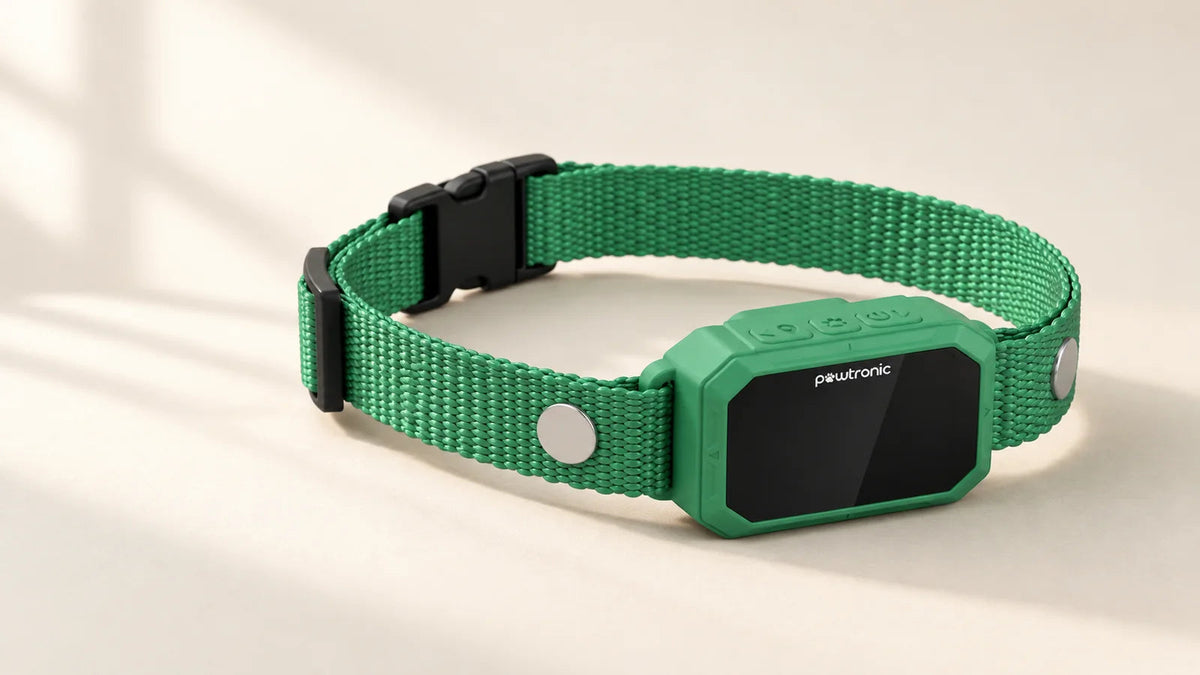
Halo Collar Subscription Cost: Plans and Monthly Fees
The Halo Collar subscription costs $9.99 to $19.99 per month on top of the hardware purchase. This membership is required to use Halo’s GPS fences and tracking, so we account for both the purchase price and ongoing fees.
October 30, 2026
18 MINS READ
How to Keep Your Dog in the Yard Without a Fence
Compare practical ways to keep your dog in the yard without a permanent fence, including supervised long lines, portable barriers, boundary training, and GPS dog fences.
October 30, 2026
10 MINS READ
Are Shock Collars Cruel? Vets, Studies, and Fence Collars
What research and veterinary guidance say about shock collars, how fence collars differ, and which reward-based alternatives to consider.
October 30, 2026
13 MINS READ
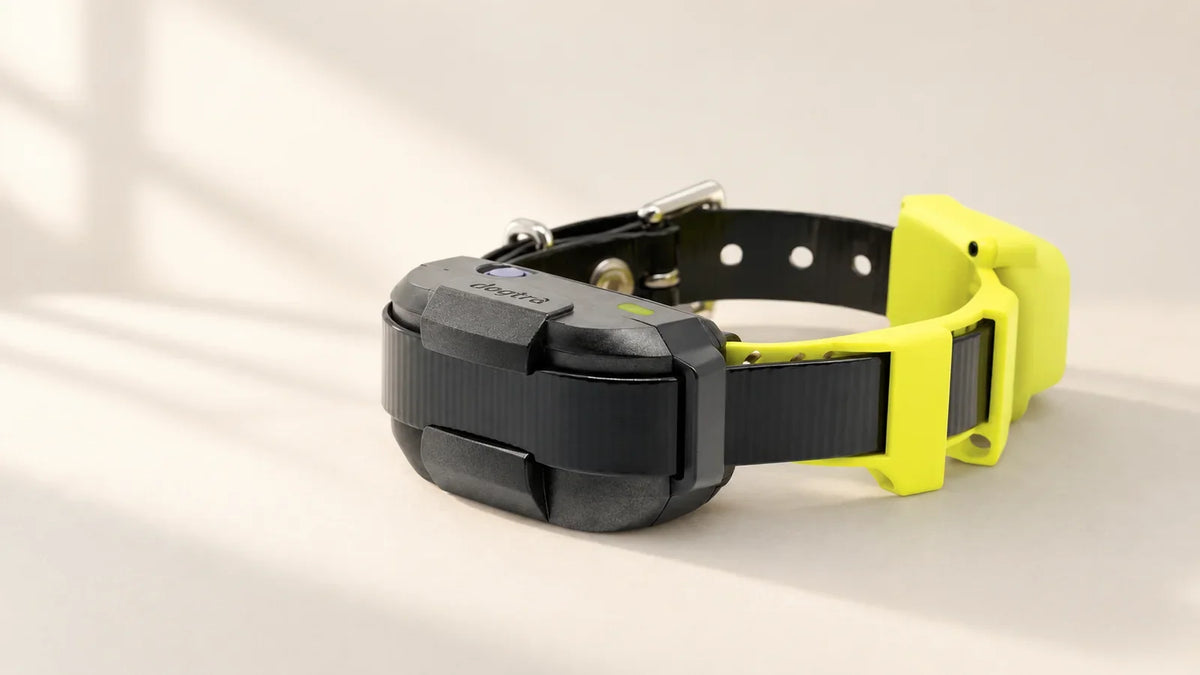
Dogtra GPS Fence Review: Pros, Cons, and Verdict
The Dogtra GPS Fence is an app-configured containment collar that costs $199.99 with no monthly fee. Once you save the boundary, the collar operates without a continuous phone connection. It is designed for dogs weighing at least 15 lb and outdoor properties larger than ¾ acre.My main concern is how that boundary fits the property. The system uses a warning zone and two backup fences, so lot size alone does not settle suitability. It also has no live tracking, and...
October 30, 2026
16 MINS READ
PetSafe Alternatives: Which Dog Fence to Switch to (2026)
Compare PawTronic, Halo, SpotOn, and Dogtra as alternatives to PetSafe, with practical guidance on boundary shape, subscriptions, dog fit, and setup.
October 16, 2026
14 MINS READ
Best Wireless Dog Fences in 2026
Compare five wireless dog fences for 2026 by yard shape, dog fit, subscriptions and multi-dog costs, including GPS and radio systems.
October 16, 2026
15 MINS READ
PetSafe Wireless Fence Review: Stay & Play Pros and Cons
See how PetSafe Stay and Play works, compare four wireless models, and check coverage, collar fit, total cost and the limits of a circular boundary.

October 16, 2026
12 MINS READ
PetSafe Guardian GPS 2.0 + Tracking Dog Fence Collar Review
A closer look at PetSafe Guardian GPS 2.0: model differences, dog and yard requirements, subscription costs, battery life and alternatives.

October 16, 2026
14 MINS READ
SpotOn GPS Fence Review 2026: Nova vs. Omni
Compare SpotOn Nova and Omni on accuracy, battery life, price and optional tracking costs, with independent review findings and lower-cost alternatives.
October 16, 2026
10 MINS READ
Halo Collar 5 Review (2026): Is It Worth the Price?
Is Halo Collar 5 worth the ongoing cost? Compare its GPS fence, live tracking, battery life, subscription fees and no-monthly-fee alternatives.


Pawtronic Pro
A wireless GPS fence and training collar that helps you create safe outdoor boundaries without buried wire, base stations, or monthly fees.
4 interest-free installments


